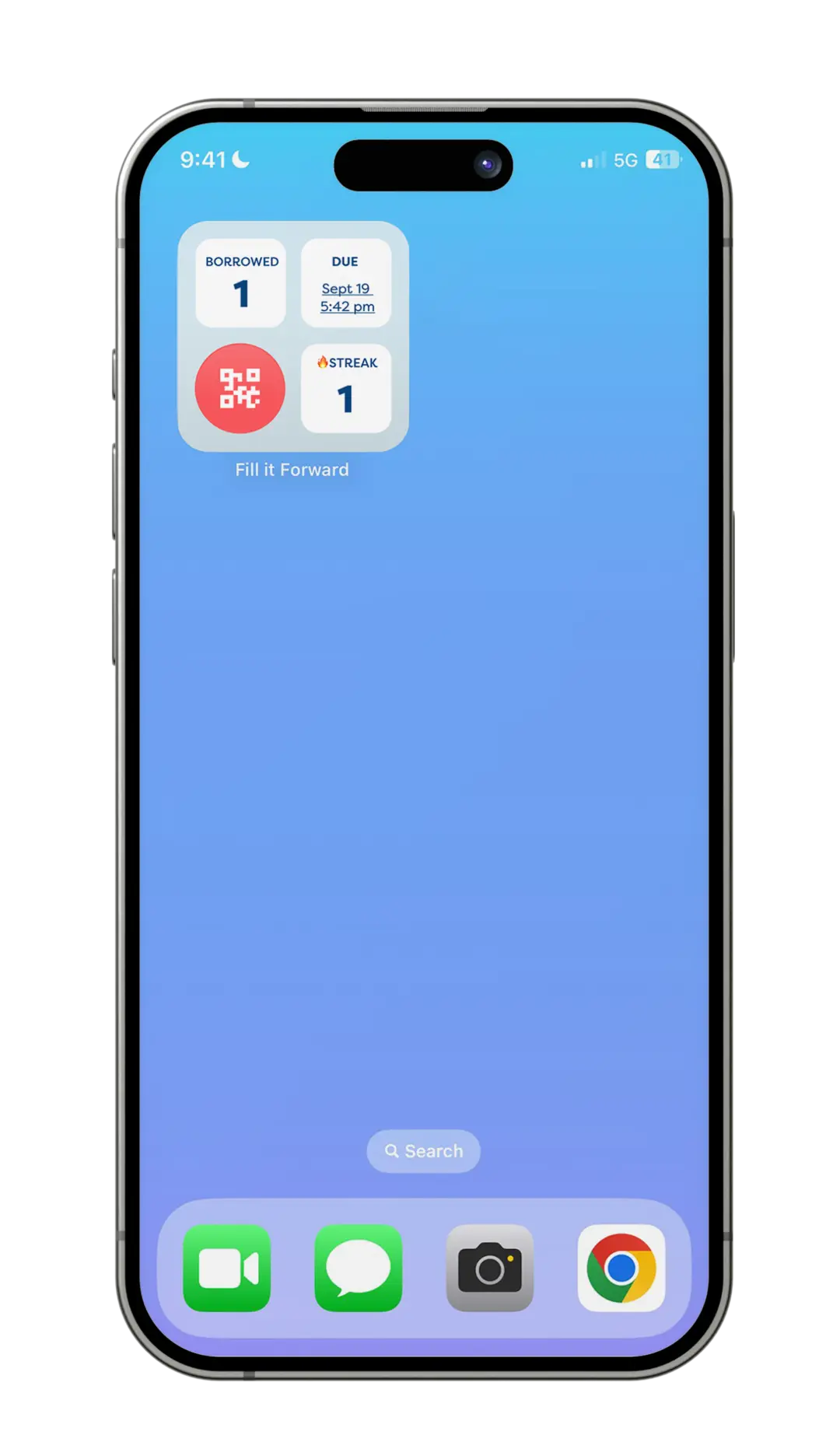
How to Track Borrowed Containers with the Fill it Forward Widget
How to Track Borrowed Containers with the Fill it Forward Widget
Managing borrowed containers just got easier with the Fill it Forward app widget. Available on both iOS and Android, it brings everything you need to manage your borrowed items directly to your home screen.
With the Borrow Tracker, you can:
View your borrowed containers – See exactly what you currently have checked out.
See your return due date – Stay ahead of upcoming returns and avoid missed deadlines.
Track your reuse streak – Keep momentum going as you continue participating in reuse.
Scan in seconds without opening the app – Quickly scan right from your home screen.
How to Add the Fill it Forward Widget (Borrow Tracker) to Your Home Screen
For iOS users:
From the home screen, touch and hold a widget or an empty area until the apps jiggle.
Tap Edit in the upper-left corner.
Tap Add Widget.
Select the Fill it Forward widget, swipe to the Borrow Tracker option, then tap Add Widget.
Tap Done.
For Android users:
On a home screen, touch and hold an empty space.
Tap Widgets.
Find the Fill it Forward app.
Select the Borrow Tracker widget.
Touch and hold the widget. You’ll get images of your home screens.
Slide the widget to where you want it. Lift your finger.
Why You’ll Love It
The Fill it Forward widget makes borrowing simple and stress-free. View your borrowed containers, keep track of return dates, monitor your reuse streak, and scan in seconds—all from your home screen.